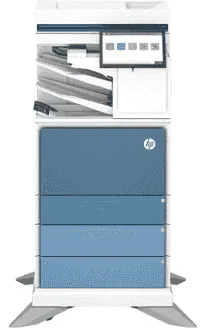
Drivers para HP Color LaserJet Enterprise Flow MFP 6800zfsw
Si necesitas el driver de HP Color LaserJet Enterprise Flow MFP 6800zfsw, estás en el lugar correcto. Aquí puedes descargar la última versión del controlador oficial de HP para tu impresora HP Color LaserJet Enterprise Flow MFP 6800zfsw. Compatible con Windows, Mac OS, este driver te permitirá aprovechar al máximo las funciones de impresión, escaneo y copia de tu equipo HP.
Descargar drivers
Ver guía de instalación para Windows ↓
| Archivo | Tamaño | |
|---|---|---|
| Universal Scan - Full Feature Drivers and Software for Windows 32-bit and 64-bit | 411.19 MB | ⬇ Descargar |
| Universal Scan - Full Feature Drivers and Software for Windows 32-bit and 64-bit | 410.79 MB | ⬇ Descargar |
| Universal Scan - Basic Feature Drivers and Software for Windows 32-bit | 78.81 MB | ⬇ Descargar |
| Universal Scan - Basic Feature Drivers and Software for Windows 64-bit | 99.17 MB | ⬇ Descargar |
| Universal Scan - Basic Feature Drivers and Software for Windows 32-bit | 78.69 MB | ⬇ Descargar |
| Universal Scan - Basic Feature Drivers and Software for Windows 64-bit | 98.83 MB | ⬇ Descargar |
| PCL 6 V3 Printer Driver - no installer for Windows 32-bit and 64-bit | 32.50 MB | ⬇ Descargar |
| PCL 6 V4 Printer Driver - no installer for Windows 32-bit and 64-bit | 32.50 MB | ⬇ Descargar |
| Smart Universal V3 Printing Driver for Windows 32-bit | 31.30 MB | ⬇ Descargar |
| Smart Universal V3 Printing Driver for Windows 64-bit | 35.20 MB | ⬇ Descargar |
| Smart Universal V4 Printing Driver for Windows 32-bit | 21.95 MB | ⬇ Descargar |
| Smart Universal V4 Printing Driver for Windows 64-bit | 22.98 MB | ⬇ Descargar |
| USB Connected Smart Universal V3 Printing Driver for Windows 32-bit | 30.84 MB | ⬇ Descargar |
| USB Connected Smart Universal V3 Printing Driver for Windows 64-bit | 34.75 MB | ⬇ Descargar |
| USB Connected Smart Universal V4 Printing Driver for Windows 32-bit | 17.51 MB | ⬇ Descargar |
| USB Connected Smart Universal V4 Printing Driver for Windows 64-bit | 18.54 MB | ⬇ Descargar |
| Easy Start Printer Setup Software for Windows 32-bit and 64-bit | 16.35 MB | ⬇ Descargar |
| Easy Start Printer Setup Software for Windows 32-bit and 64-bit | 16.35 MB | ⬇ Descargar |
| Easy Start Printer Setup Software for Windows 32-bit and 64-bit | 16.35 MB | ⬇ Descargar |
Ver guía de instalación para Mac OS ↓
| Archivo | Tamaño | |
|---|---|---|
| Easy Start Printer Setup Software for macOS | 10.89 MB | ⬇ Descargar |
Driver oficial de HP para HP Color LaserJet Enterprise Flow MFP 6800zfsw
Proporcionamos acceso directo a los controladores oficiales de HP. Todos los drivers de HP Color LaserJet Enterprise Flow MFP 6800zfsw que ofrecemos han sido verificados y son seguros de instalar. Disponemos de 20 versiones para diferentes sistemas operativos: Windows, Mac OS.
Para usuarios de Windows, el driver incluye un asistente de instalación automática que detecta tu modelo de impresora y configura todo automáticamente. Los usuarios de Mac y Linux pueden seguir nuestra guía de instalación disponible en esta misma página.
HP es una de las marcas líderes en impresión, y el HP Color LaserJet Enterprise Flow MFP 6800zfsw cuenta con un excelente soporte de software que garantiza su funcionamiento durante años.
Escanea tu sistema y encuentra el controlador exacto para tu HP Color LaserJet Enterprise Flow MFP 6800zfsw.
Detectar driver automáticamenteCómo instalar el driver de HP Color LaserJet Enterprise Flow MFP 6800zfsw
Windows
- Descarga el driver de HP Color LaserJet Enterprise Flow MFP 6800zfsw para Windows desde la tabla superior.
- Haz doble clic en el archivo descargado (.exe) para iniciar la instalación.
- Sigue las instrucciones del asistente de instalación.
- Conecta tu impresora HP Color LaserJet Enterprise Flow MFP 6800zfsw al ordenador por USB o WiFi.
- Reinicia el ordenador si el instalador lo solicita.
Mac OS
- Descarga el driver de HP Color LaserJet Enterprise Flow MFP 6800zfsw para Mac desde la tabla superior.
- Abre el archivo descargado (.dmg) y ejecuta el instalador.
- Ve a Preferencias del Sistema > Impresoras y Escáneres.
- Haz clic en "+" para añadir tu impresora HP Color LaserJet Enterprise Flow MFP 6800zfsw.