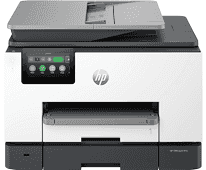
Drivers para HP OfficeJet Pro 9130e
El driver de HP OfficeJet Pro 9130e es el software necesario para conectar tu impresora HP al ordenador. Disponemos de 7 controladores compatibles con Windows. La instalación es sencilla y gratuita. Selecciona tu sistema operativo y descarga el driver que necesitas.
Descargar drivers
Ver guía de instalación para Windows ↓
| Archivo | Tamaño | |
|---|---|---|
| Full Feature Drivers and Software for Windows 32-bit and 64-bit | 346 MB | ⬇ Descargar |
| Universal Scan - Full Feature Driver and Software for Windows 32-bit and 64-bit | 411.03 MB | ⬇ Descargar |
| Universal Scan - Basic Feature Driver and Software for Windows 64-bit | 99.23 MB | ⬇ Descargar |
| Universal Scan - Basic Feature Driver and Software for Windows 32-bit | 78.87 MB | ⬇ Descargar |
| Universal Fax Driver for Windows 32-bit and 64-bit | 16.51 MB | ⬇ Descargar |
| Universal Fax Driver for Windows (Driver Only) 32-bit and 64-bit | 8.78 MB | ⬇ Descargar |
| Easy Start Printer Setup Software for Windows 32-bit and 64-bit | 18.42 MB | ⬇ Descargar |
Sobre el driver de HP OfficeJet Pro 9130e
El controlador de HP OfficeJet Pro 9130e es el software oficial desarrollado por HP que permite la comunicación entre tu ordenador y la impresora. Sin el driver correcto, el sistema operativo no puede enviar las instrucciones de impresión al dispositivo.
Este driver incluye soporte para Windows y ha sido diseñado para ofrecer la máxima compatibilidad. Entre sus características se incluyen la gestión de calidad de impresión, configuración de papel, y optimización del consumo de tinta o tóner.
Te recomendamos desinstalar cualquier versión anterior del driver antes de instalar la nueva. Esto evita conflictos de software y garantiza un funcionamiento óptimo de tu HP OfficeJet Pro 9130e.
Escanea tu sistema y encuentra el controlador exacto para tu HP OfficeJet Pro 9130e.
Detectar driver automáticamenteCómo instalar el driver de HP OfficeJet Pro 9130e
Windows
- Descarga el driver de HP OfficeJet Pro 9130e para Windows desde la tabla superior.
- Haz doble clic en el archivo descargado (.exe) para iniciar la instalación.
- Sigue las instrucciones del asistente de instalación.
- Conecta tu impresora HP OfficeJet Pro 9130e al ordenador por USB o WiFi.
- Reinicia el ordenador si el instalador lo solicita.