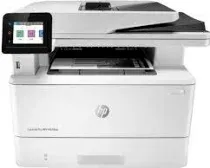
Drivers para HP LaserJet Pro MFP M428dw
Aquí encontrarás todos los drivers disponibles para la impresora HP LaserJet Pro MFP M428dw de HP. Ofrecemos 26 controladores para Windows, Mac OS. Descargar e instalar el driver correcto es fundamental para garantizar impresiones de calidad y evitar problemas de compatibilidad.
Descargar drivers
Ver guía de instalación para Windows ↓
| Archivo | Tamaño | |
|---|---|---|
| Full Feature Drivers and Software for Windows 32-bit and 64-bit | 165.65 MB | ⬇ Descargar |
| Basic Software Solution for Windows 32-bit | 61.25 MB | ⬇ Descargar |
| Basic Software Solution for Windows 64-bit | 71.89 MB | ⬇ Descargar |
| Universal Scan - Full Feature Drivers and Software for Windows 32-bit and 64-bit | 411.19 MB | ⬇ Descargar |
| Universal Scan - Full Feature Drivers and Software for Windows 32-bit and 64-bit | 410.79 MB | ⬇ Descargar |
| Universal Scan - Basic Feature Drivers and Software for Windows 32-bit | 78.81 MB | ⬇ Descargar |
| Universal Scan - Basic Feature Drivers and Software for Windows 64-bit | 99.17 MB | ⬇ Descargar |
| Universal Scan - Basic Feature Drivers and Software for Windows 32-bit | 78.69 MB | ⬇ Descargar |
| Universal Scan - Basic Feature Drivers and Software for Windows 64-bit | 98.83 MB | ⬇ Descargar |
| PCL 6 V3 Printer Driver - no installer for Windows 32-bit and 64-bit | 16.38 MB | ⬇ Descargar |
| PCL 6 V4 Printer Driver - no installer for Windows 32-bit and 64-bit | 12.04 MB | ⬇ Descargar |
| PCL6 Universal Print Driver for Windows 32-bit | 19.44 MB | ⬇ Descargar |
| PCL6 Universal Print Driver for Windows 64-bit | 22.11 MB | ⬇ Descargar |
| PostScript Universal Print Driver for Windows 32-bit | 20.70 MB | ⬇ Descargar |
| PostScript Universal Print Driver for Windows 64-bit | 23.26 MB | ⬇ Descargar |
| USB Connected PCL6 Universal Print Driver for Windows 32-bit | 19.80 MB | ⬇ Descargar |
| USB Connected PCL6 Universal Print Driver for Windows 64-bit | 22.44 MB | ⬇ Descargar |
| USB Connected PostScript Universal Print Driver for Windows 32-bit | 21.07 MB | ⬇ Descargar |
| USB Connected PostScript Universal Print Driver for Windows 64-bit | 23.59 MB | ⬇ Descargar |
| Easy Start Printer Setup Software for Windows 32-bit and 64-bit | 16.35 MB | ⬇ Descargar |
| Easy Start Printer Setup Software for Windows 32-bit and 64-bit | 16.35 MB | ⬇ Descargar |
| Easy Start Printer Setup Software for Windows 32-bit and 64-bit | 16.35 MB | ⬇ Descargar |
| ePrint Software - Network and Wireless Connected Printers for Windows 32-bit | 26.22 MB | ⬇ Descargar |
| ePrint Software - Network and Wireless Connected Printers for Windows 64-bit | 31.19 MB | ⬇ Descargar |
Ver guía de instalación para Mac OS ↓
| Archivo | Tamaño | |
|---|---|---|
| Easy Start Printer Setup Software for macOS | 10.89 MB | ⬇ Descargar |
| ePrint Software - Network and Wireless Connected Printers for macOS | 6.61 MB | ⬇ Descargar |
Sobre el driver de HP LaserJet Pro MFP M428dw
El controlador de HP LaserJet Pro MFP M428dw es el software oficial desarrollado por HP que permite la comunicación entre tu ordenador y la impresora. Sin el driver correcto, el sistema operativo no puede enviar las instrucciones de impresión al dispositivo.
Este driver incluye soporte para Windows, Mac OS y ha sido diseñado para ofrecer la máxima compatibilidad. Entre sus características se incluyen la gestión de calidad de impresión, configuración de papel, y optimización del consumo de tinta o tóner.
Te recomendamos desinstalar cualquier versión anterior del driver antes de instalar la nueva. Esto evita conflictos de software y garantiza un funcionamiento óptimo de tu HP LaserJet Pro MFP M428dw.
Escanea tu sistema y encuentra el controlador exacto para tu HP LaserJet Pro MFP M428dw.
Detectar driver automáticamenteCómo instalar el driver de HP LaserJet Pro MFP M428dw
Windows
- Descarga el driver de HP LaserJet Pro MFP M428dw para Windows desde la tabla superior.
- Haz doble clic en el archivo descargado (.exe) para iniciar la instalación.
- Sigue las instrucciones del asistente de instalación.
- Conecta tu impresora HP LaserJet Pro MFP M428dw al ordenador por USB o WiFi.
- Reinicia el ordenador si el instalador lo solicita.
Mac OS
- Descarga el driver de HP LaserJet Pro MFP M428dw para Mac desde la tabla superior.
- Abre el archivo descargado (.dmg) y ejecuta el instalador.
- Ve a Preferencias del Sistema > Impresoras y Escáneres.
- Haz clic en "+" para añadir tu impresora HP LaserJet Pro MFP M428dw.